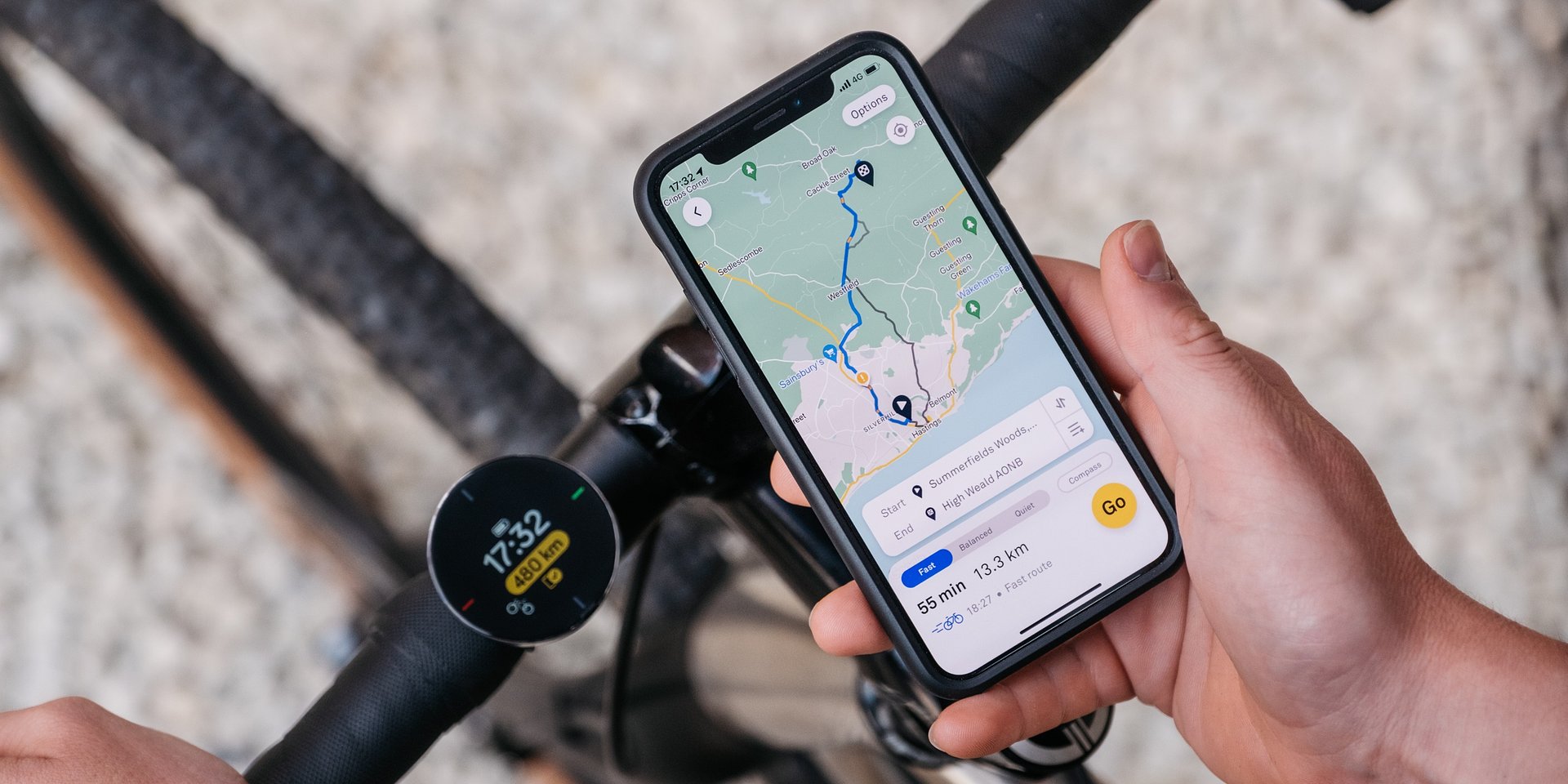
London, 19.01.2023 - The routing and navigation experts at Beeline are kicking off a new year full of two-wheeled adventures with exciting new features for their the Velo 2 device.
Beeline Velo 2 conquers the DACH region
The DACH region has developed into one of Beeline's most important markets since the launch of the Velo 2 platform in summer 2022. The overwhelming interest in Velo 2 from the German-speaking cycling community is a tremendous success for Beeline's young team based in London and provides further motivation to continuously develop the platform's features with the needs of different markets in mind; so that the Beeline community worldwide can enjoy the best routing with straightforward navigation.
In this product roundup, we present the most important upgrades.
Tour data - elevation profile
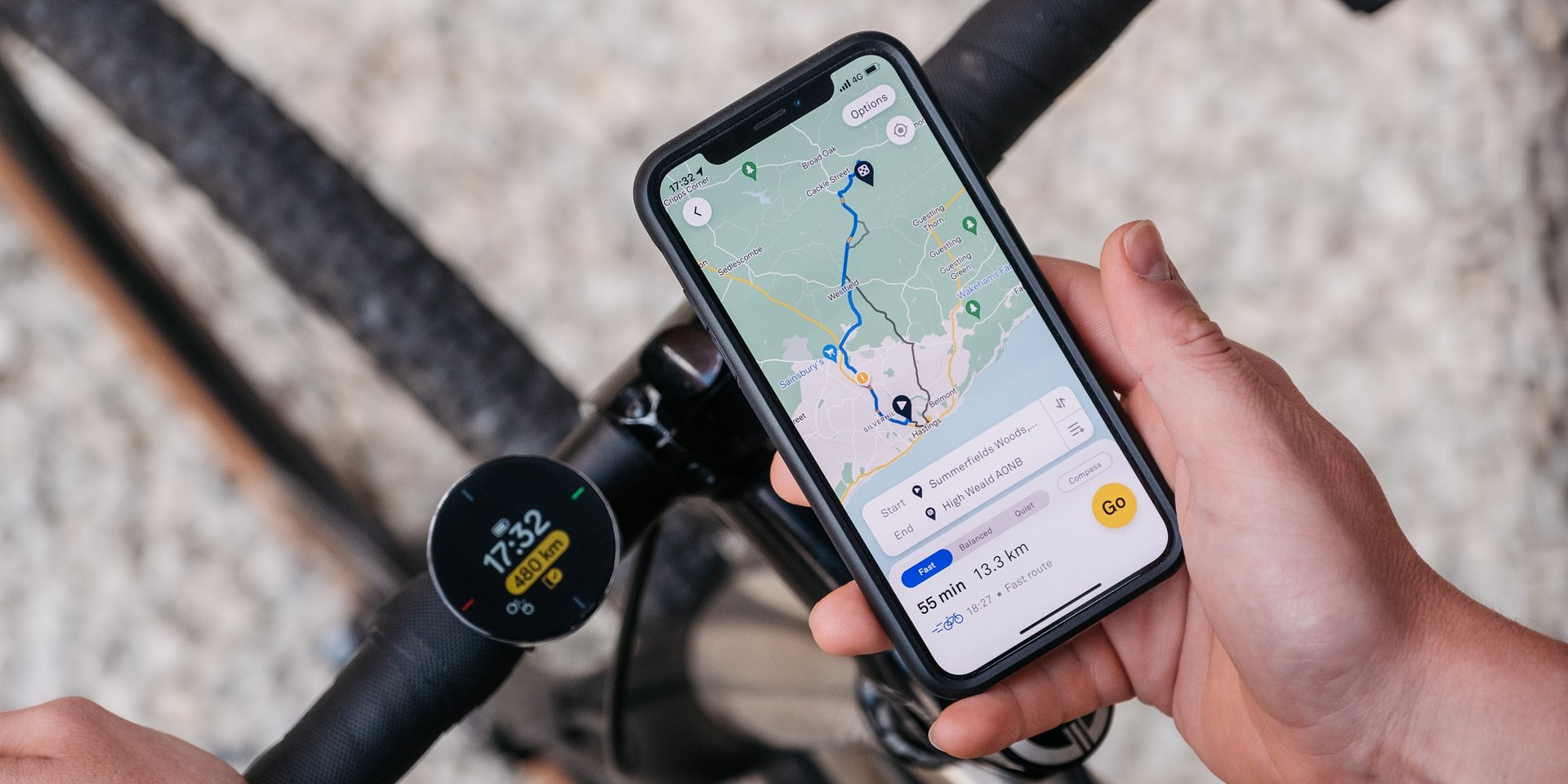
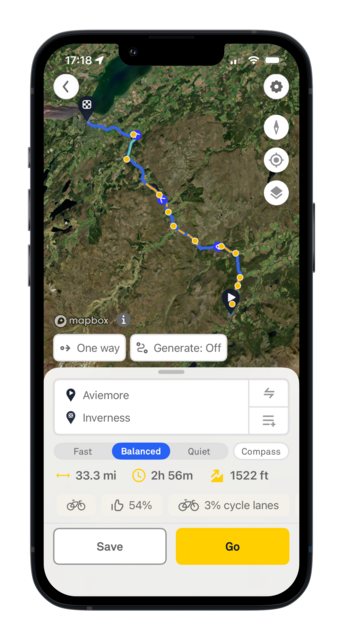
Many features are developed thanks to feedback from the Beeline community. Especially in the DACH region, the addition of the elevation profile to tour data was an important item on users' wish lists. After all, assessing the feasibility of a planned route, especially in low mountain ranges and the Alps, naturally always depends on a combination of distance and the expected elevation gain. The elevation profile is also an important planning requirement for E-bike tours.
png
2.96 MB
png
1.13 MB
As a first step, the elevation gain and loss will now be shown in the tour data at the bottom of the screen when planning new routes in the Beeline app. The next step will be to map the full elevation profile in the app so that changes in elevation along the route can be assessed at a glance. This will then give users the option to reroute around critical points such as steep sections along the route and thus get safely from A to B. The statistics displayed on the Velo 2 during the ride will also be expanded accordingly.
So there are exciting enhancements in the pipeline, especially for Beeliners in the DACH market!
Avoiding unpaved roads
For some time now, the Beeline app has offered an option in the settings to exclude unpaved roads from route planning. Simply select Options in the upper right corner while planning a route, go to Route settings - and you can exclude unpaved roads from planning or add them back in again. Please note: this function can currently only be used in the countries and regions where Beeline Smart Routing is enabled. A look at the list is helpful if you are traveling with the Velo 2 on holiday...
jpg
1.01 MB
jpg
541 KB
jpg
521 KB
Free Ride Mode
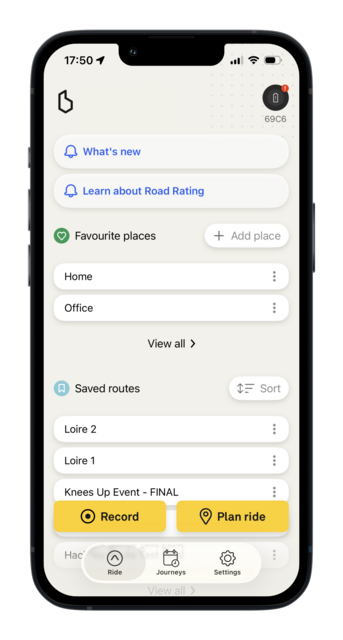
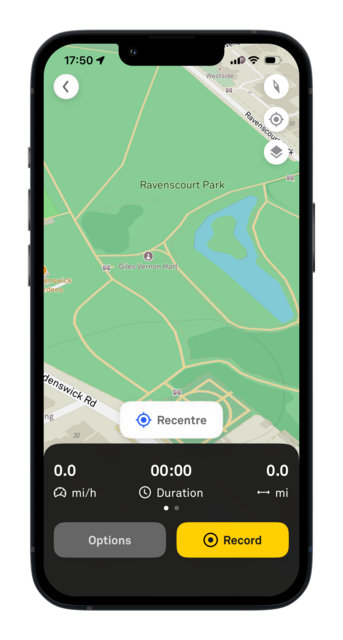
A request for the ability to record rides without a route set also came directly from feedback from the Beeline community. Beeliners use this function to regularly track a ride along a route they already know or to share it with friends and family after recording. This mode is started by clicking the yellow Record button in the Beeline app in the Ride section at the bottom left of the screen. The screen immediately switches to display the current location - all the user needs to do is to click on Record again and tracking will be launched in the app and on a connected Velo 2!
png
698 KB
png
1.01 MB
Saving and sharing tours as a GPX file
At the end of last year, the options for saving and sharing tours were also expanded: in addition to GPX upload, the GPX download function requested by the community has also been available.
This means that tours can now be saved directly from the planning tool via Options (upper right corner) and then via Save route, or shared as a GPX file with friends and family via Share/download.
png
1020 KB
png
477 KB
png
474 KB
Tours saved via clicking Save route appear in the Ride section below the saved favorite places. From here, they can be navigated to directly by clicking on the respective tour or shared/downloaded as a GPX file via the short menu (three small dots).
The Velo 2 at a glance
The Beeline Velo 2 navigation device is available worldwide through specialist retailers or can be ordered via the Beeline website.
The Beeline Velo 2 currently costs £99.99. The functions of the Beeline app are free of charge.
Beeline today announces its spring update for Velo 2, introducing key improvements to route planning and ride visibility, alongside long-requested features for cyclists who plan and ride with preci...
The launch of the Beeline Plus premium tier in the DACH region means an addition to the Beeline community’s product family, tailored to all those cyclists looking for that extra level of comfort wh...
The new Beeline Velo 2 stem mount offers a modern and elegant look through seamless integration into the bike cockpit, while the online route planner in beta version enables even easier planning, e...
Ahead of the highly anticipated EUROBIKE 2023, the team of navigation experts at Beeline gives a brief overview of new features and updates to Beeline products for cyclists.
Join our Press Mailing List
Are you a journalist or do you work for a media outlet? Join our Press Mailing List and receive press releases, company news and advance information straight to your inbox.

-3aed37-medium-1787155741.jpg)
-bd5484-medium-1787155741.jpg)
-31b9a0-medium-1787155741.jpg)
-portrait-23272a-medium-1787156842.png)
-portrait-5b1c34-medium-1787156842.png)
-portrait-124df5-medium-1787156842.png)